Your day in four cards
The new session page now opens on your day. Four cards show your next meetings, what needs you, your pipelines and your numbers.


Starting a session used to mean knowing what to ask. The page gave you a composer and your routines, and what was actually waiting for you that day lived on four other pages. This release brings it to the page you already open first. Each card answers one question you start the day with, and each row is one click from the thing it names.
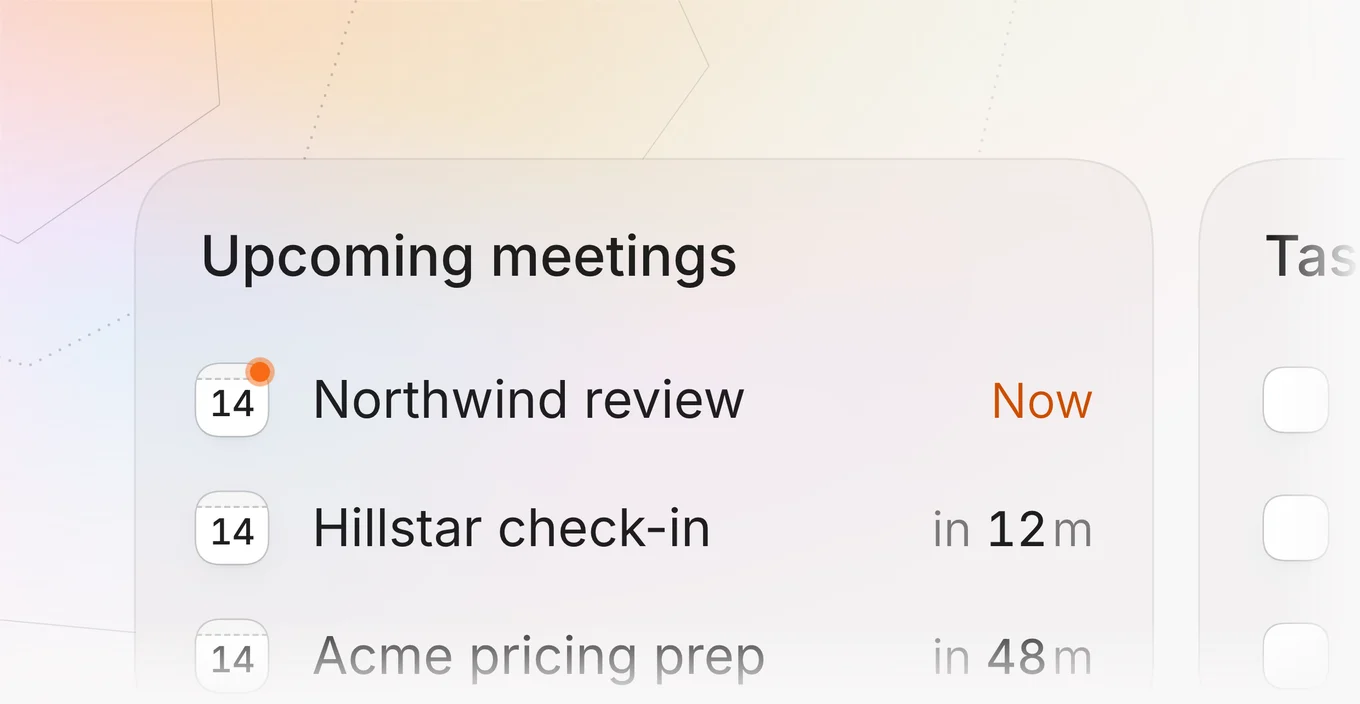
Walk into your next meeting
The first card lists your next three meetings, soonest first. A meeting inside the hour counts down in minutes, and one that has started says Now beside an orange dot. While a call is on, or about to be, its row opens the call itself in a new tab, so you go from the page to the room in one click. At any other time the row opens the meeting's page, with its notes and its recording. A button on the card books a new meeting without leaving the page.
Clear what needs you today
The second card holds whatever is waiting on you. For most teams that is the three tasks due soonest, each with a box to tick. A ticked task stays for a moment before it leaves, with an Undo that brings it straight back. On plans with Review the card lists what Octolane has prepared for you to approve, newest first.
- An overdue task says how late it is, in red.
- Click a task's name to open it, or the plus to add one.
- A review row opens the draft, update or deal it holds.
Ask about any number
The last card reads your win rate, the value you closed and your average sales cycle over the last 30 days. Beside each figure is how far it moved against the 30 days before, in green when it moved the way you want and in red when it did not. A small ring beside the name fills with the figure, so the three can be read at a glance. A figure is also a question. Click one and Octolane opens a new session that asks why it moved and answers from your own deals.
Open the pipeline that matters
Your three busiest pipelines stand beside the figures, each with its open deals and what they are worth. A row opens that pipeline, and a new pipeline starts from the card. Every card also carries a short list of questions for Octolane under its own mark, such as which deals are at risk or what you should do first. Each one starts a new session with the question already sent.
What comes next
Nothing needs switching on. The cards are on the new session page today, filled from the meetings, tasks and deals already in your workspace, on every plan.
Meet Octo, your AI notetaker
Octolane's AI notetaker now has a name and tells the room what it is doing. Octo says who it is when it joins and names whoever is speaking, as they speak.
When Octolane's AI notetaker joins a call, it sits in the grid as one more participant. Until now its tile was a blank square with a label under it. Nobody in the room could tell whether it was listening, who had sent it or what would happen to what they said. This release gives it a name, Octo, and lets it answer all three on its own.

Always knows who's talking
A line on Octo's tile follows the conversation. When you start talking it says it is listening to you, by name, and when somebody else takes over the line moves to them. It reads the same live transcript your notes are written from, so what the room sees is what Octo is hearing. A guest who has never met an AI notetaker before can watch it work for a few seconds and understand what it is. Nobody has to wonder whether the thing in the corner of the grid is awake.
- While someone speaks, the line names them.
- When the call goes quiet, it says whose notes it is taking.
- A long name shortens before it would run off the tile.
Breaks the ice for you
Octo opens every call the way a person would. It says hello and gives its name, says it is there to take notes, and says who gets the recap afterwards. That first minute used to be yours to fill, explaining to a guest what had just joined and why. Now the introduction is done before you have unmuted, and the call starts on the subject it was booked for.
Unmistakably yours
When the call goes quiet, Octo says whose notes it is taking, so a guest always knows who it came with. It looks like yours too. Octolane's mark turns slowly on a cover that stays sharp on a slow connection and in a crowded grid. Each person's Octo takes its picture from their name, out of a set of eight. Yours is the same in every call, and when two people from one team each send theirs, the two rarely look alike.
What comes next
Nothing needs switching on. The next call Octo joins has all of it, and the line is built to say more about the call as Octo learns to do more while it is there.
The new sidebar
Everything you move between now lives in one panel, with your pins at the top of each group and every setting a click away.
The sidebar used to be two tabs and a separate settings page. Sessions lived on one tab, pipelines and records on the other, and moving between them meant remembering which was which. This release puts all of it in one panel, so the thing you want next is always in the column you are already looking at.
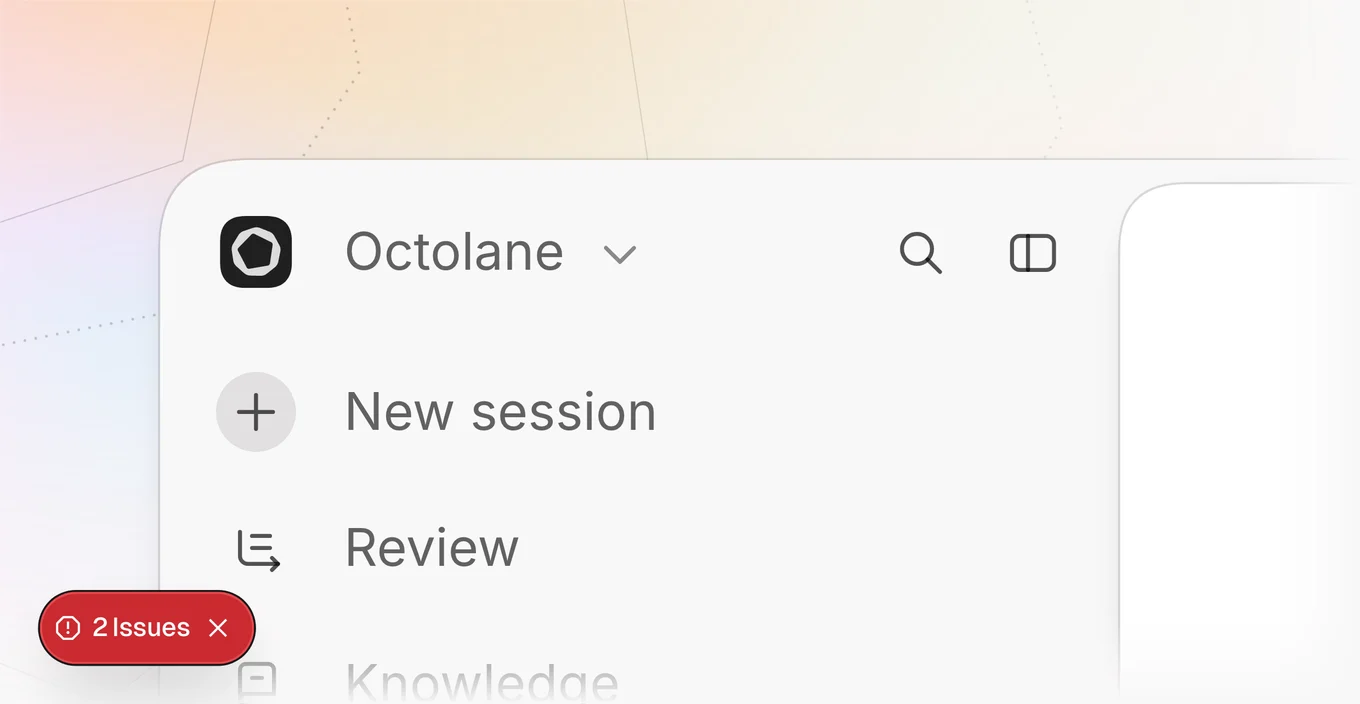
One panel for everything
Sessions, pipelines, records and resources now sit in one column, each under its own heading. There are no tabs to switch between, and nothing moves when you go from a pipeline to a session and back. Each group folds away when you do not need it, and remembers that it did. Drag the panel's edge in and it folds down to a slim rail of icons, with search still one click away. Drag it back out and it opens again, exactly as you left it.
Pin what you use most
A session or a pipeline you come back to can be pinned to the top of its group. Pins keep the order you give them, so the list reads the way you work rather than the way things were created. Up to five sessions and five pipelines can be pinned at once, which keeps the top of each group short enough to take in at a glance.
- Pin from the row's menu, or unpin it the same way.
- Drag a pinned row to move it up or down.
- A long title fades out before its pin rather than under it.
Settings open in place
Settings used to replace the whole sidebar with a page of their own, and getting back meant finding your way out of it. Now they slide into the same panel, with every section listed down its side, and the way back is the panel sliding out again to where you were. Search finds any setting by name too, from anywhere in the product. A setting you change once a year is a short word away rather than a hunt through menus you have long since forgotten, and it opens in the same panel as everything else.
What comes next
From here on, this panel is where new parts of the product appear. Anything that joins it later arrives in this same column, under a heading of its own.
A new agent page
The empty chat page becomes the place the product starts, with every saved routine one keystroke away.
The empty chat page used to be an input and nothing else. It asked a question and gave you no help answering it. This release turns it into the place the product starts, with every saved routine sitting under the box and a slash key that reaches them without you leaving whatever you had already begun to type.
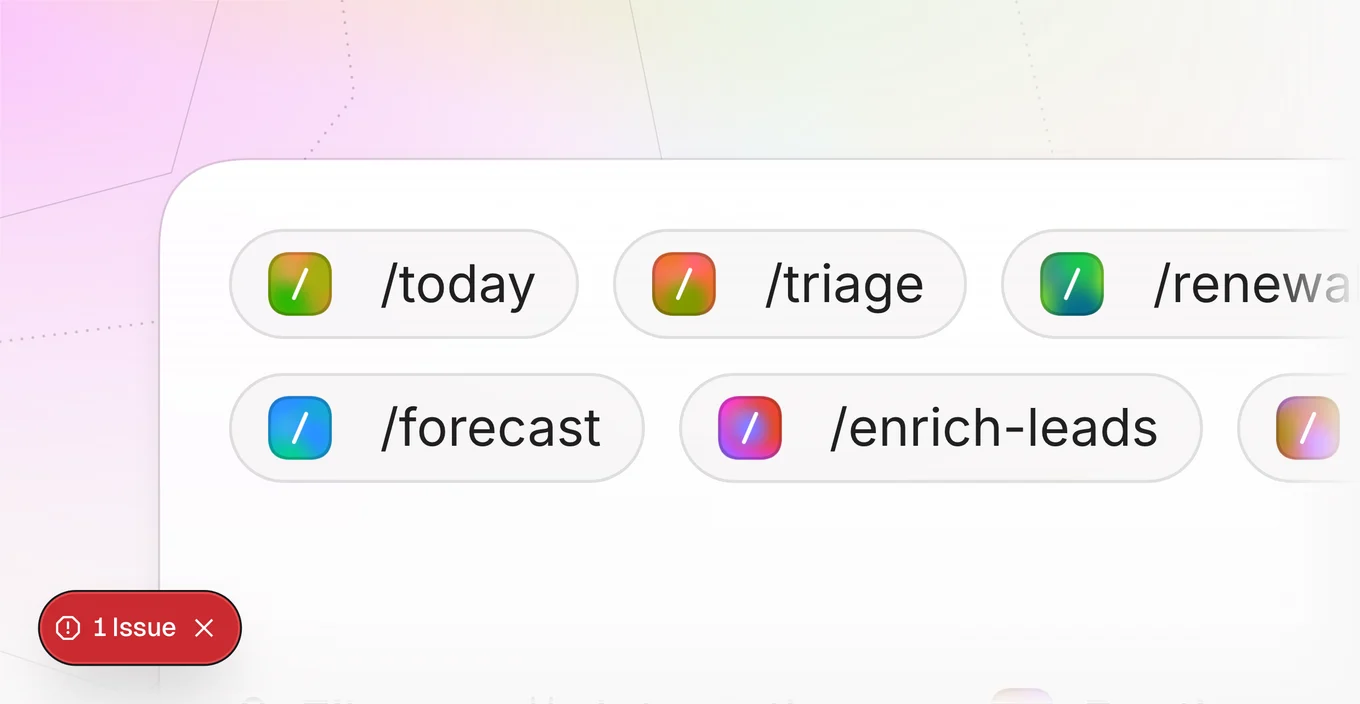
Ask in your own words
The composer takes a plain question in whatever words you already use. Press slash and every saved routine is there, filtered as you type, without leaving the box or losing what you had written. Attachments arrive as tiles and chips on the same shelf, so a question with a file in it still reads as one thought rather than two. An unsent draft survives leaving the page and coming back, which means a half formed idea is no longer something you have to finish in one sitting, and the box stops being something you have to be ready for before you open it.
Start from a routine
Below the composer is a table of saved routines. Each one is a task Octolane already knows how to run, with the cadence it suits written beside it, so the table teaches you when to reach for a thing as well as what it does. A default set arrives with the product, and the ones you write yourself join the same list.
- A click starts the agent on that routine in a fresh session.
- Arrow keys walk the table from the composer, and Enter runs the one you land on.
- Routines you create yourself join the list under their own heading.
Watch it work
A run narrates itself while it happens. The timeline counts its own elapsed time and the tokens it has spent, keeps every step in the order it actually occurred, and closes with a plain summary of what it did and how long it took. It keeps counting while you are looking elsewhere. Nothing in it moves without being asked to either, so a long run can be left alone and read properly later, with none of it having collapsed or scrolled itself away in the meantime. What you left is what you come back to.
Keyboard the whole way
None of this needs the mouse. Slash opens the routine list from inside the composer, the arrow keys walk it, and Enter runs whatever you have landed on. The same keys carry through to the table below once focus reaches it, so a routine can be found and started without your hands leaving the keys they were already resting on. It is the difference between a feature you visit and one you simply use.
What comes next
This is the first release where the empty page does something on its own. Next comes what a routine remembers of the last run, and what it opens with.